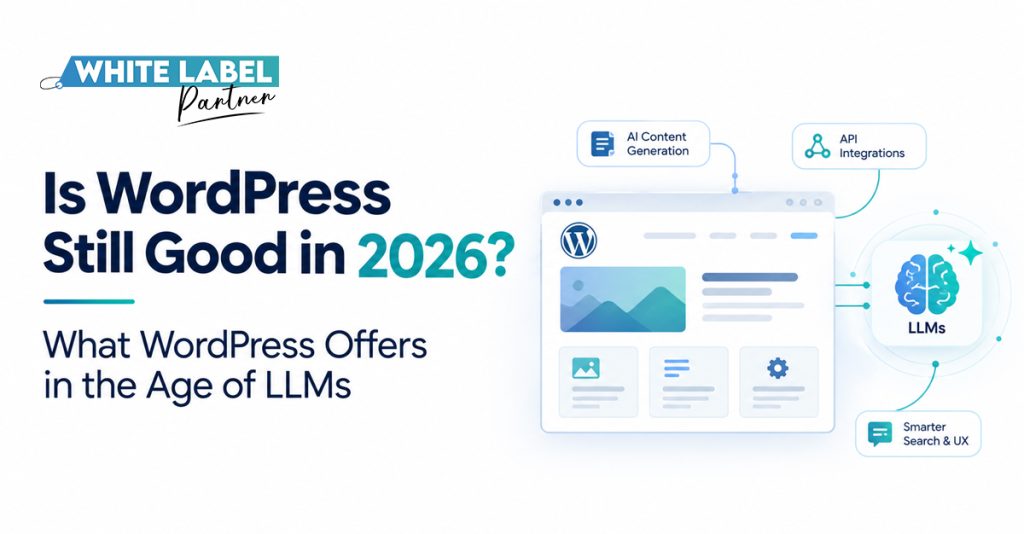
Is WordPress Still Good in 2026? What WordPress Offers in the Age of LLMs
It’s yet another day bringing in the throes of productivity, and your client sends over a website preview Claude made in an afternoon. It looks sharp, coherent, and a little too good, and they’re excited to launch.
Then comes a fair question: Why would a full website build take longer than this?
WordPress is an open-source content management system (CMS) for creating and managing websites. For many business websites, the answer to is WordPress still good in 2026? is yes: it gives teams a flexible foundation for publishing content, adding features, and managing the site after the first design is finished.
A prompt can create an impressive preview; but a business also needs a place to make updates, connect essential tools, and keep its website useful as needs change.
Your client’s AI draft is a valuable starting point. Before you launch it under your agency’s name, though, who will edit the pages, test the forms, handle security, and help customers find the site?
Those questions reveal what WordPress offers, where AI fits, and when a different foundation makes more sense.
What Does WordPress Give a Client After Launch?
The first version matters, but clients also need a website their team can use next month and next year. WordPress gives them a content management system with room to grow as the business changes.
A Place the Team Can Keep Publishing
A service business can update its pages, add articles, and replace images without commissioning a new build for every change. Give the right people editing access, agree on an approval process, and the website becomes part of the team’s regular publishing workflow.
Room for the Site to Change
A client might start with service pages and later need bookings, a resource library, or an online store. WordPress supports custom design and functionality, while its REST API can connect site content with other applications.
WooCommerce is one option for adding commerce. The brief should determine which features belong in the build and which can wait.
Control Over the Setup
Clients can make decisions about hosting, development, and the tools connected to their site. That flexibility brings a practical responsibility: someone needs to manage updates, backups, performance, and support. When those roles are clear from the start, an agency can hand over a site the client can confidently run after launch.
A Prompt Can Start the Site. What Can It Finish?
AI website development can move an early client conversation along. Teams can explore layouts, draft code, try different calls to action, and put a prototype in front of the client while the ideas are fresh.
Give the Client Something to React To
Imagine a client prompts Claude to create a service website. By the afternoon, they have a clickable preview. They can point to colors and a menu they like. That’s useful feedback. The agency can ask what visitors need to accomplish, which pages the client plans to update, and what should happen when someone makes an inquiry. Each answer gives the next iteration a clearer purpose.
Decide What Belongs in the Build
The preview can inform design and scope; a developer still needs to review the generated code and decide how the finished site will work. Anthropic’s prototyping guidance describes artifacts as useful for testing and demonstration and notes that production projects may need more robust infrastructure.
Treat the preview as a head start, then use the client’s feedback to plan the build.
The Work Between a Preview and a Client Website
A preview lets your client see the idea. A production review establishes what the website needs to do for real visitors and for the people who’ll manage it.
In a Claude website development project, your agency can use the generated version to start that conversation, then check the details against the agreed brief.
| First Version May Show | Your Agency Still Needs To Decide |
|---|---|
| Attractive page layout | Does it fit the brand, work on phones, and meet accessibility needs? |
| Working demo form | Where do inquiries go, how is consent handled, and what happens if submission fails? |
| Sample content | Who checks the claims, approves the copy, and edits it later? |
| Generated code | Who owns the files, hosts the site, and manages updates and security? |
Start with features tied to a customer action. If the site’s purpose is to bring in consultation requests, test the inquiry journey on a phone, confirm the form reaches the right person, and agree who follows up.
Then review the content, permissions, performance, and handoff with the client.
The review gives your agency a realistic scope and the client a clear handoff, while making good use of the AI draft.
Can a WordPress Site Still Be Found in AI Search?
Yes, but WordPress alone can’t secure a mention in an AI answer. It gives your team tools to organize pages and manage technical SEO. The content still needs to answer real questions, and search systems need access to it.
Google says established SEO practices still apply to AI Overviews and AI Mode. Its guidance on AI features and websites lists no special optimization requirement for appearing in either experience.
Give Search Systems a Useful Page to Find
Imagine a roofing company’s repair page. Someone wants to know what an inspection involves before requesting one. A useful page should make the answer easy to find:
- State the page’s purpose. Use a descriptive title and headings that match the service and the questions visitors bring.
- Put answers in accessible text. Explain the inspection, service area, and next step on the page, then link to related services where helpful.
- Keep the details dependable. Check that the page can be indexed and update locations, availability, and processes when they change.
Your agency can build these habits into the site from the start. They help visitors use the page and give search systems clear, current information to work with without promising a place in an AI response.
Which Foundation Fits the Client’s Actual Brief?
A client asking, is WordPress still good in 2026? deserves an answer based on what their website needs to accomplish. Start with who’ll use it, what they’ll need to do, and how the business expects it to change.
| Client’s Main Need | Starting Point To Assess |
|---|---|
| A business site with regular content updates | WordPress |
| A small site with managed hosting and built-in tools | A hosted website builder |
| A store with detailed selling and fulfillment needs | Compare commerce platforms, including WooCommerce |
| A product with accounts and complex user workflows | A custom web application |
The table gives your agency a starting point, not an automatic verdict. A service business that publishes guides and updates its offers may value WordPress’s editing tools and flexibility. A client who wants a small site with few changes may prefer a managed builder. For a store, compare the actual catalog, checkout, fulfillment, and support requirements.
If the brief describes a product people log into and use, a custom web apps agency can help scope the workflows before anyone commits to a platform. Check the client’s budget, your team’s capacity, and who’ll provide ongoing support before making the recommendation.
WordPress Is Learning to Work With AI Tools
WordPress can serve as a website’s content foundation while AI assists with selected tasks. Its recent development work gives developers ways to define what a connected tool can discover and do. The client’s team still needs a clear process for reviewing the results.
What Do the New Tools Actually Do?
The Abilities API lets developers register specific WordPress functions in a standard format. The AI Client provides a foundation for connecting AI services to WordPress. An optional MCP Adapter can make registered functions available to compatible AI tools. WordPress’s 2026 AI Client update says this work currently focuses on developers and plugins; visible AI features aren’t yet part of the default interface.
For a client publishing frequent product updates, AI-powered web development could support a workflow like this:

White Label Partner can help agencies with website design and development services and deliver the website and agreed development work under their brand. Start with the client’s existing process and decide which steps would benefit from assistance.
How an Agency Turns the Brief Into a Reliable Build
Your agency knows the client’s goals, audience, and promises. Keep ownership of the strategy, scope, approvals, and client conversations. A delivery partner can then handle the agreed design and development work under your brand, with each handoff clear before the project starts.
Give Each Team a Decision to Own
At the briefing stage, you turn the client’s ideas, including an AI-generated preview into requirements. Your partner translates those requirements into a build plan and flags questions about features, content, or integrations. Your agency takes those decisions back to the client and approves the direction before work moves ahead.

A white label marketing agency can use website design and development services to extend its delivery capacity while staying accountable to its client. A search such as AI marketing agency white label may surface many options; ask who handles the build, who communicates with the client, and what happens after launch.
What Should You Ask Before Bringing in a Development Partner?
A brief seeking a white label custom websites developer tells a prospective partner what kind of help you want. It still needs enough detail for them to price and deliver the work.
When speaking with a white label custom web development company, ask how they’ll handle these decisions:
- Approvals: Who signs off on the design and content before development moves ahead?
- Editing: Which pages and elements will the client be able to update, and what access will they receive?
- Integrations: Which forms, booking tools, or other systems need to be scoped and tested?
- Handoff: What documentation, training, and support will follow launch?
- Scope: What’s included in the quote, what counts as a change, and how will extra work be approved?
Ask for agreed acceptance criteria, too: the specific checks that tell both teams a feature is ready. Clear answers give your agency a better basis for client approvals and fewer surprises during delivery.
Explore our custom web development approach when you’re planning a project with requirements beyond a standard website.
Budget for the Website Clients Will Actually Run
A launch quote is easier to explain when your client can see what it covers now and what running the site may cost later.
Price the Full Brief
- Build: Design, development, content setup, and agreed integrations.
- Operation: Hosting, licensed tools where needed, updates, and support.
- Growth: New pages, features, or workflows requested after launch.
A small service site might need a simple editing setup because its team updates offers often. A portal with individual accounts may need different architecture, testing, and ongoing support. Both are website projects, but their requirements create different budgets.
Ask your development partner to separate the initial scope from recurring costs and future requests. You can then show the client what they’re buying, which choices could change the quote, and who’ll look after the site once it’s live.
Make the Next Website Easy to Stand Behind
AI helps clients picture a website quickly. Lasting value depends on platform fit, careful development, and clear ownership after launch.
Bring White Label Partner your client’s brief, AI prototype, or existing site. We can help your agency scope the project and deliver custom designs, websites, and web apps under your brand. A dedicated project manager keeps communication moving while you lead the client relationship.
Ready to discuss what the project needs? Book a meeting to get started, or call us at +1 980-390-2338.
Frequently Asked Questions


